Try a hairstyle on your photo before the hairdresser
Published
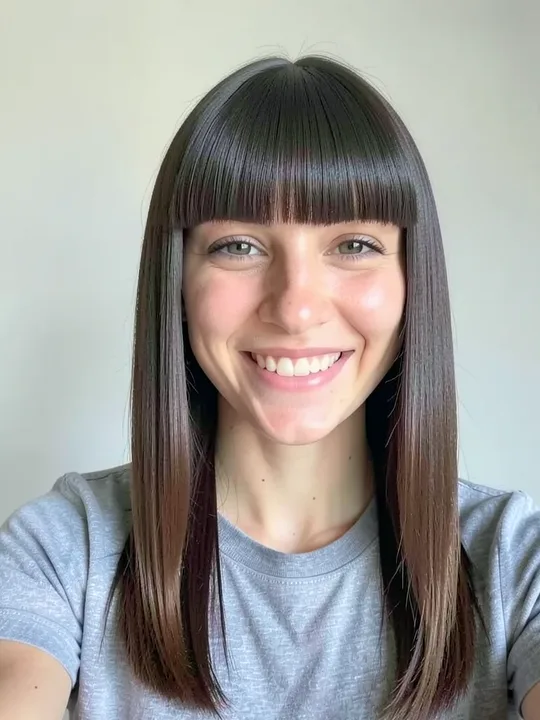
You can see a fringe, a buzz cut or a new colour on your own face before anyone picks up the scissors. Open the Hair category, tap a look and add a selfie. A few seconds later you have a picture to save and take to the salon.
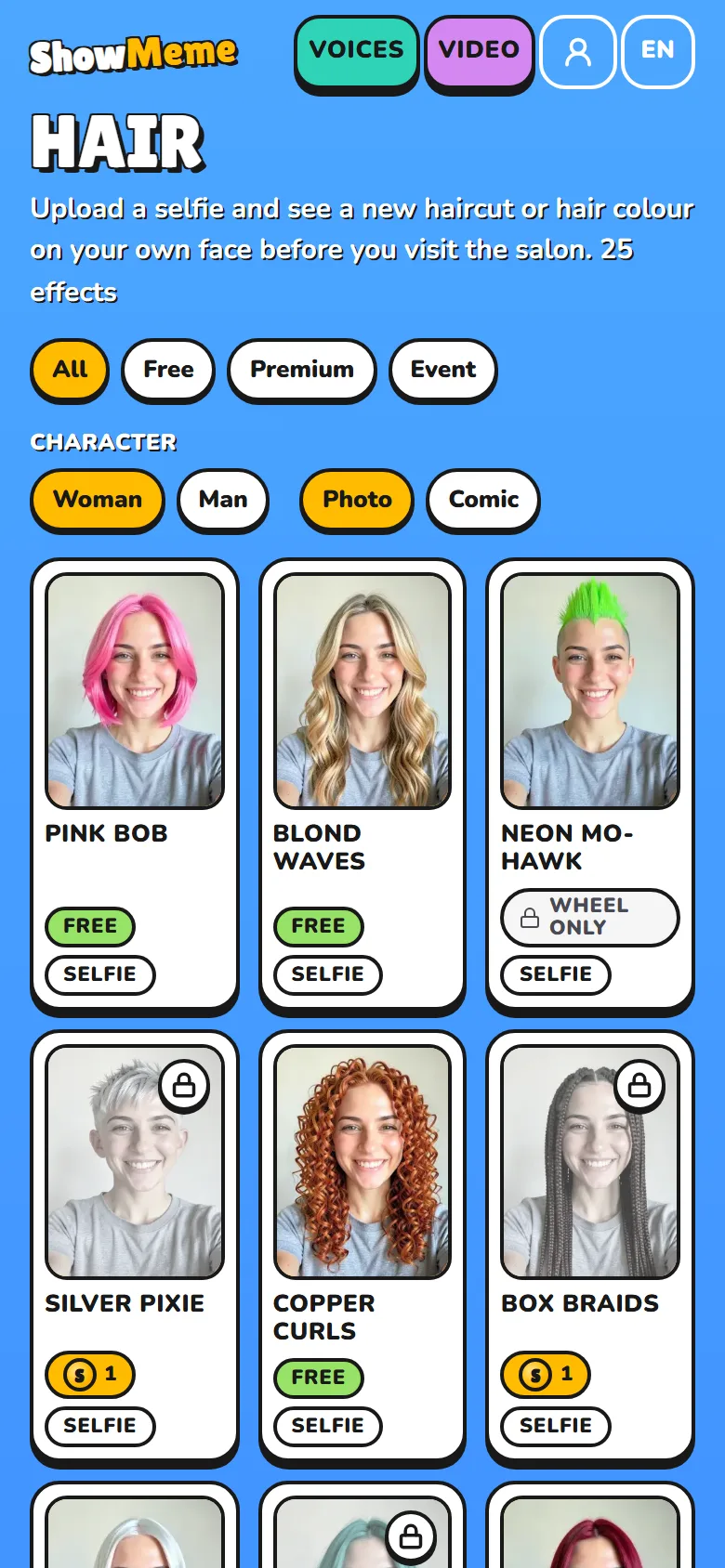
What the Hair category holds
On 15 November 2026 the category had 25 looks, each with its price on the tile.
| Price | Looks |
|---|---|
| Free | Afro, Bald head, Blond waves, Blunt bangs, Bowl cut, Cherry cola, Copper curls, High ponytail, Pink bob, Sleek platinum, Slicked back, Undercut |
| 1 coin | Box braids, Buzz cut, Curtain bangs, Jet black, Lilac ombré, Mullet, Silver pixie, Space buns, Teal waves, Two braids |
| 2 coins | Rainbow hair, Split dye |
The 25th, Neon mohawk, wears a "Wheel only" badge and does not start on the website.
Free looks need no account. A few effects a day are free, after an ad, and the studio counts down how many you have left.
Ten looks change the cut or the styling and are written to keep your own hair colour: Blunt bangs, Curtain bangs, Bowl cut, Buzz cut, Undercut, Slicked back, High ponytail, Space buns, Two braids and Afro. Start there to test a fringe or short hair. Most of the others bring their own colour, like Sleek platinum or Copper curls. Box braids and Mullet are drawn in dark brown whatever you start with.
Which photo works
Choose Selfie at the photo step. The site describes that frame as "Face and shoulders". Hair looks run on a full-body photo too, but your browser shrinks a large photo to 1024 pixels on its longest side first. On a head-to-toe shot your hair ends up a small patch of the picture.
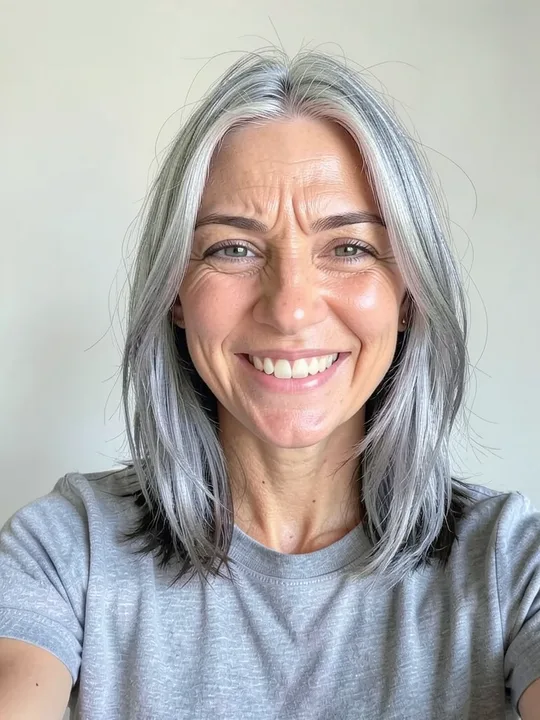
The woman's examples in the Hair category all start from this selfie:
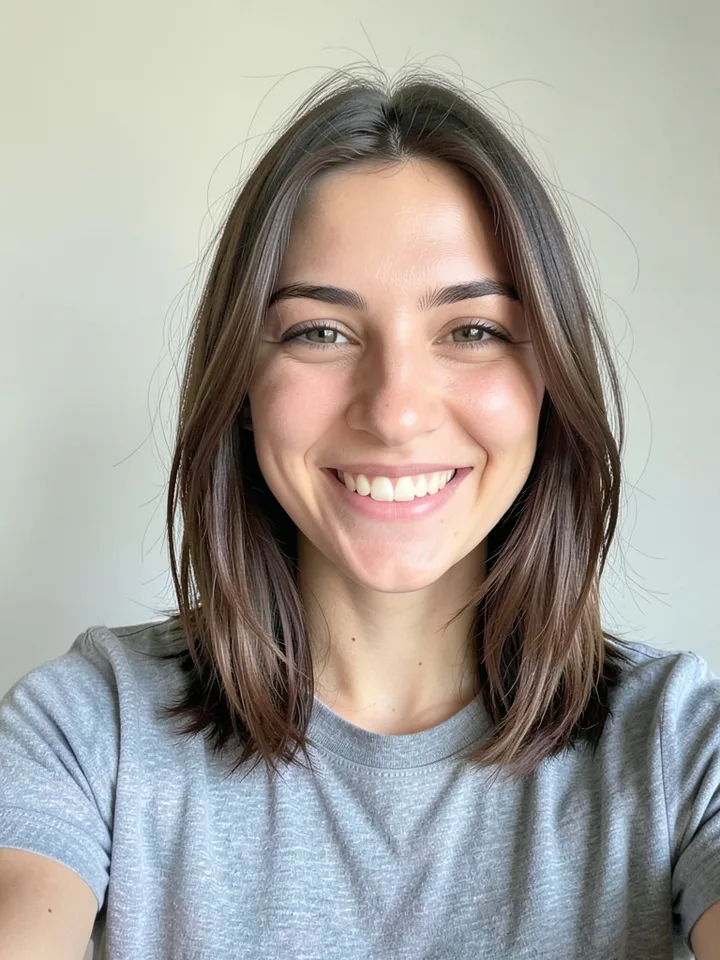
Copy what it does:
- Face the camera and leave some room above your head.
- Show your forehead and hairline. Blunt bangs draws a fringe across the forehead, Two braids start at the hairline, and Slicked back combs everything away from it. If a cap, a hood or your hand covers that area, the model has to make up what it cannot see.
- Take the hat off. Every hair look is written to leave your clothes as they are, and a hat counts as clothes.
- Use a photo with your hair's real colour and no filter. Ten looks take their colour from the picture.
- Upload a JPG, PNG or WebP of up to 10 MB, and use your own face. The consent screen asks you not to upload other people's photos.
The original stays on your device. The server gets it only while the look is made, and it deletes the result after 48 hours.
Natural for the salon, Comic for fun
After the photo, the site asks how to draw you. Natural keeps the photo a photo. Comic redraws the whole picture with bold lines and flat colours.
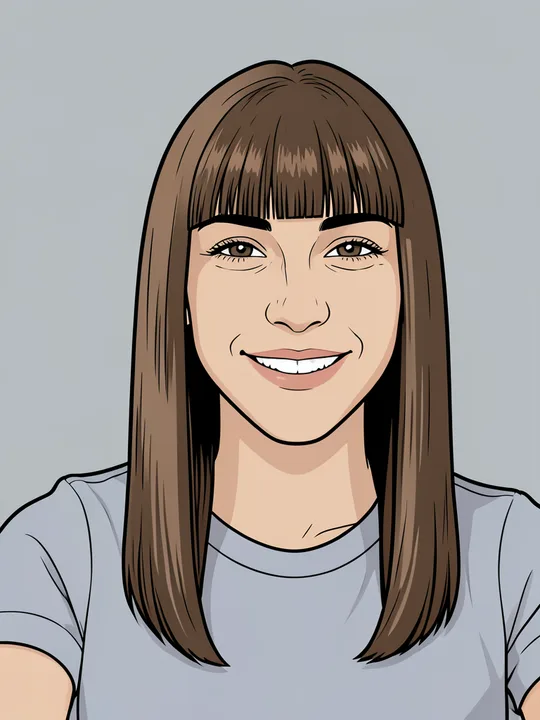
Pick Natural for the hairdresser. In the photo version of Blunt bangs the ends stay lighter than the roots, as in the starting selfie. The comic above fills the same hair with flat brown, so you can no longer tell where the colour gets lighter.
You choose the mode once per character. To see the other one, make a new character from the same photo. Every effect page has Woman, Man, Photo and Comic switches above its example, so you can preview both before you upload anything.
Compare with the slider
- Open a free look, for example Blunt bangs, and drag the slider across the example. The starting photo is on the left of the line, the look on the right.
- Tap "Try it on your photo". Choose Selfie, add your picture, pick Natural and go to the studio. It opens with the look you chose.
- When the look is on your character, tap Done. On the result screen, tap "Before / After" under the picture.
- Drag the round handle. Park the line on your nose to see half of each version, or pull it slowly across your forehead to see where a fringe would land. On a keyboard, the arrow keys move it.
- Tap Save. The screen shows how many hours the result has left.
Looks stack. The studio draws a second look on top of the first result, so tap Undo before you try a different cut. The slider compares one result with your photo. To compare two looks, save both and flip between them in your phone's gallery. Every try uses an effect, so shortlist two or three looks on the example pages first.
What the picture cannot tell you
An AI model draws the picture from one photo of your front. It has never touched your hair, so thickness, natural curl, a cowlick and the back of your head are outside what it knows. The consent screen says so too: "the result may surprise you".
Shades drift. In our own example, Curtain bangs turned brown hair near black, although the look is written to keep your colour. Our review notes say Copper curls came out more orange than copper on the man. Judge the shape first and read the shade as a rough direction.
The picture also skips the chemistry. The NHS page on hair dye reactions (last reviewed 29 December 2025) says many permanent and some semi-permanent dyes contain PPD, a chemical known to irritate skin or cause allergic reactions, and advises testing a dye at least 48 hours before you use it. No preview runs that test for you.
Show it to your hairdresser
- Save the file. A shared link stops working after 48 hours, together with the result.
- Say that AI drew it, then point at what you like: the line of the fringe, the length, the colour.
- Ask whether your hair can do it and what the upkeep looks like.
Results made without Premium carry a small showmeme.app mark in the corner. If Bowl cut made you laugh more than it made you book, caption it in the meme generator.
Where the facts come from
- https://www.nhs.uk/conditions/hair-dye-reactions/ (page last reviewed 29 December 2025, read 15 Nov 2026)