How funny voices and AI songs work in ShowMeme
Published
ShowMeme makes two kinds of audio. A funny voice reads a line you typed. A song sings your lyrics in a voice that borrows the sound of your own recording. Both come out as an MP3 you can download or share, and both start on the Voices page.
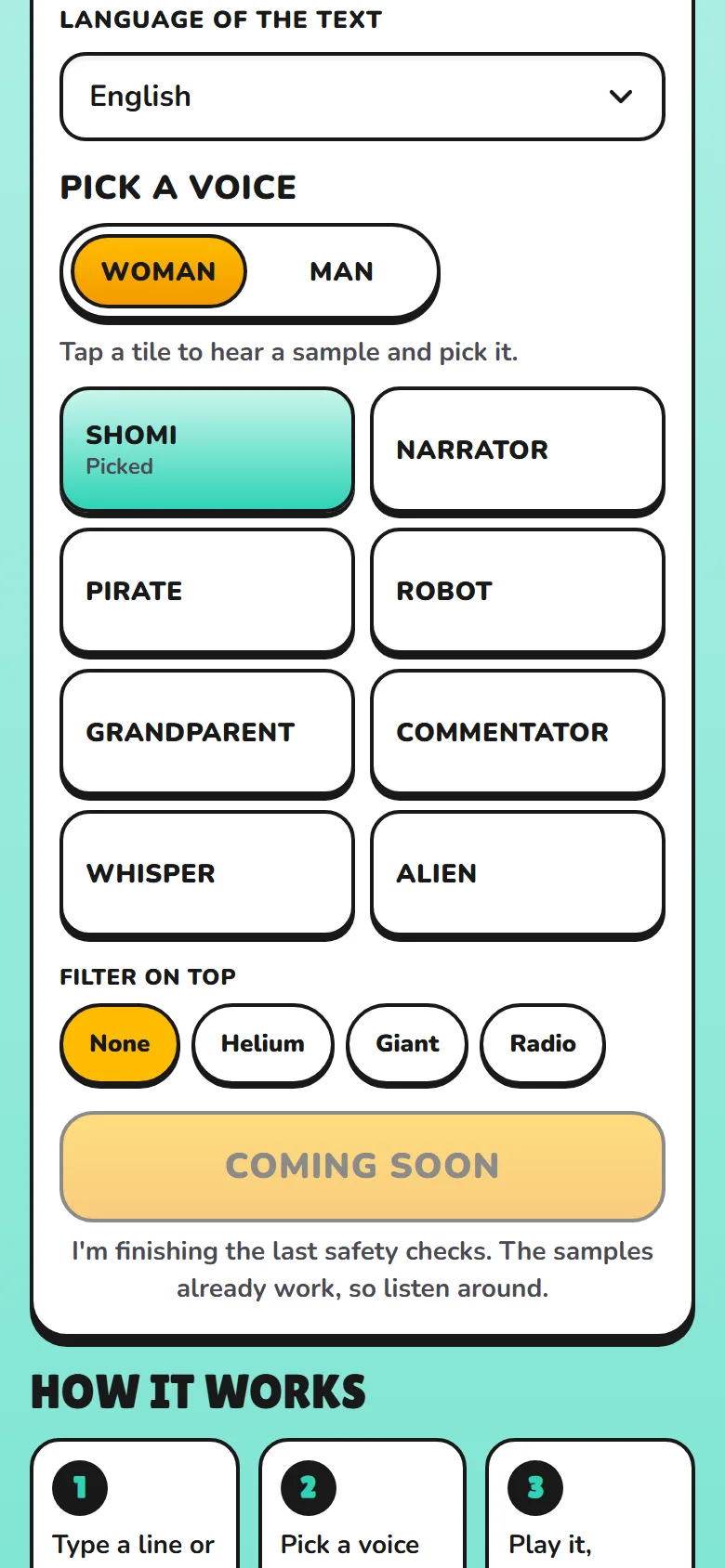
Eight voices read your line
Pick one of eight voices: Shomi, Narrator, Pirate, Robot, Grandparent, Commentator, Whisper and Alien. Tap a tile to hear a sample. Seven come as a woman and a man, Shomi has one voice, and you can add one filter on top: Helium, Giant or Radio.
Every voice is synthetic, and none is modelled on a real person. The filters and the fixed sound of the Robot and the Alien are ordinary audio effects.
You give the line in one of two ways:
- Type it. The voice reads your text word for word and takes no instructions from it.
- Say it. Tap the mic and speak. A speech recognition model writes down what you said, and you can fix any word before you tap "Say it". The recording is deleted as soon as it becomes text.
All eight voices read English, German, French, Spanish, Brazilian Portuguese, Italian, Japanese and Korean. Polish, Turkish, Arabic and Hindi have their own Narrator, Robot and Alien, and on the Polish site the other voices read in English. Indonesian, Vietnamese and Thai have samples only.
The studio estimates about 25 seconds per line. A few voices a day are free with no account, each after one short video ad that Premium skips. After that a voice costs coins and needs an account.
Three ways to make a song
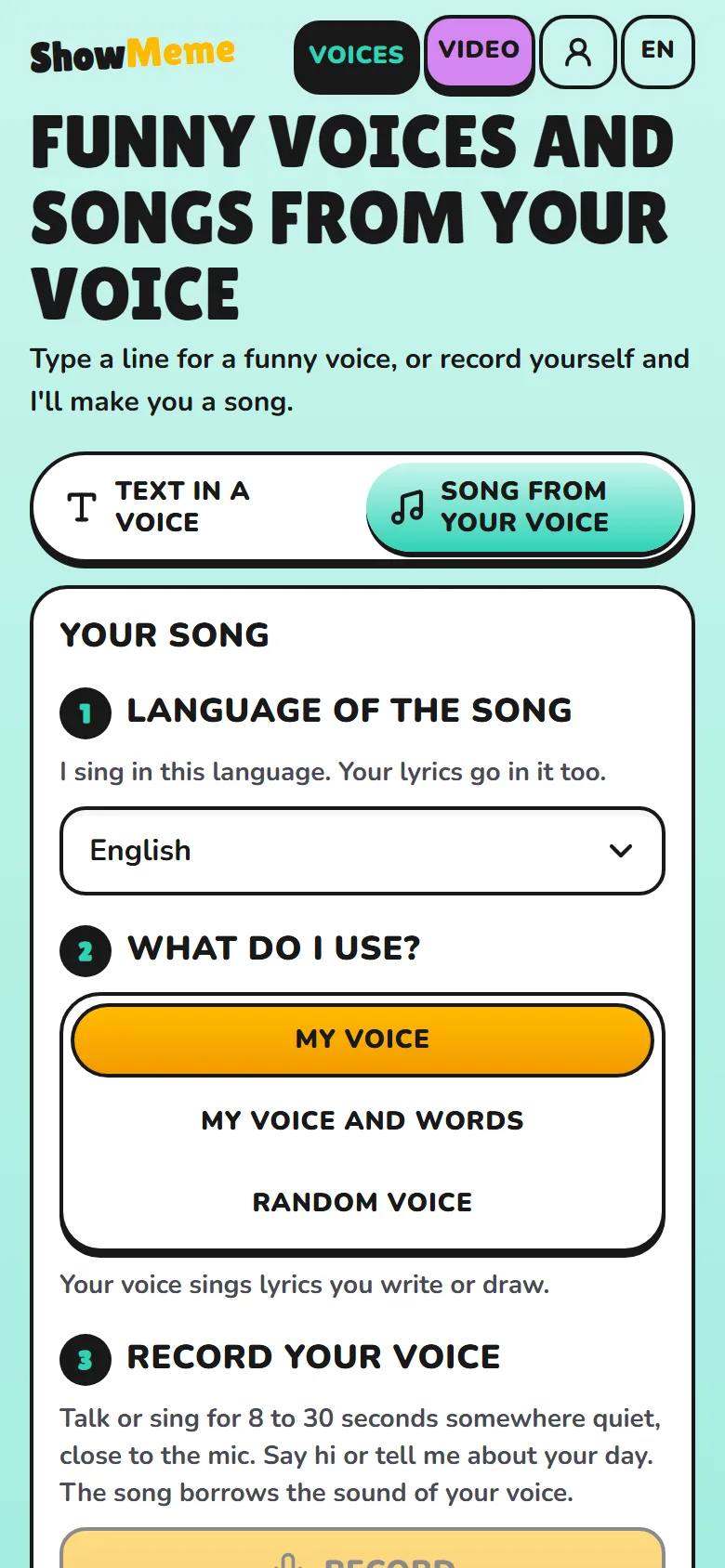
Switch the page to "Songs". The studio asks for the language of the song, then for the mode:
- My voice. You record yourself talking or singing somewhere quiet, close to the mic. The song borrows the sound of that recording and sings lyrics you write or draw.
- My voice and words. The recording supplies the lyrics too. The server writes down what you said, cuts it into short lines and has two neighbouring lines sung twice as the chorus. This mode always costs coins, so it needs an account.
- Random voice. You record nothing. The server draws one clip from our own set of 22 computer-made voice samples in 12 languages, in the language of your song. None is a recording of a person.
The music model gets a voice sample in every mode, because in our tests it sang far less clearly without one. Modes one and three give you a few free songs a day, each after one short video ad.
Eight kinds of music, fifteen languages
The music comes from one of eight types. Each has a fixed description in genre words only, with no artist or song names.
| Type | Tempo | Sound |
|---|---|---|
| Pop | 112 bpm | synth plucks, punchy drums |
| Rap | 92 bpm | boom bap drums, piano loop |
| Rock | 132 bpm | distorted guitars, live drums |
| Dance | 124 bpm | four-on-the-floor kick, synth chords |
| Reggaeton | 95 bpm | dembow beat, latin percussion |
| Ballad | 72 bpm | fingerpicked guitar, soft piano |
| Birthday | 120 bpm | ukulele, hand claps, glockenspiel |
| Country | 104 bpm | acoustic guitar, pedal steel |
For the words, write your own lyrics or tap "Draw lyrics". We wrote four ready texts for every type in each of the site's 15 languages. Leave the box empty and the studio picks one.
The languages are not equal. deAPI, which runs the music model for us, published a guide on 12 June 2026 naming the ten languages the model sings best: English, Chinese, Russian, Spanish, Japanese, German, French, Portuguese, Italian and Korean. The others, Polish included, work but may come out weaker.
Record in the language you want sung. In our Arabic tests the words came through far more reliably with an Arabic voice sample than with an English one (10 and 11 November 2026).
A song is short. We set its length, the player shows it, and the server never orders more than three minutes. In our tests a one-minute song had room for one verse and a chorus, eight to ten lines. Give it more and the model rushes or cuts words.
What ShowMeme keeps, and for how long
- Your recording. We never write it to disk or into logs. It stays in our server's memory for one request and is deleted when the request ends, usually within a minute. We build no voiceprint from it and train no AI on it.
- Your text and lyrics. An automated check reads them against the Content Rules before anything is made. We keep only how many characters they had.
- The MP3. It stays in our file storage in the EU for 48 hours, and anyone with the link can play it. Then the file is deleted. "Delete now" removes it sooner.
A song you publish on the Top list is the exception. Publishing needs an account and makes a separate public copy that does not expire after 48 hours.
We mark every MP3 as AI-made inside the file with ID3 tags: ai_generated set to true, generator set to ShowMeme and the comment "Made with AI". The player and the share page show "Made with AI" as well. Some apps strip tags on upload, so label the file yourself when you post it. The AI notice names every model, and the Privacy Policy lists each step your data takes.
What it cannot do
- Copy anyone. The voice studio never clones a voice, and imitating a real singer is against the rules.
- Promise clear words. Nothing listens to a finished song before you get it, so a take with blurred, repeated or skipped words reaches you like a good one. In our 14 November 2026 test of random-voice songs, rock and birthday songs lost words most often, pop and dance least. Make another take, shorten your lines or change the type.
- Read everything right. A voice can mispronounce a name or skip a word, mostly in long or mixed-language texts. Speech recognition mishears too, so in "My voice and words" a song can sing something you did not say.
Start with one sentence on the Voices page. Then turn a selfie into a look in Effects or caption a picture in the meme generator.
Where the facts come from
- https://showmeme.app/en/voices (read 15 Nov 2026)
- https://deapi.ai/blog/ace-step-1-5-prompting-guide-how-to-write-tags-structure-lyrics-and-generate-better-music (published 12 Jun 2026, read 15 Nov 2026)